Answer
Information from the existing Buzzen FAQ library.
To add discussion boards to your group follow these instructions:
Go to the group you own. From the My Buzzen Page ( when logged in the page that loads when you go to buzzen.com )
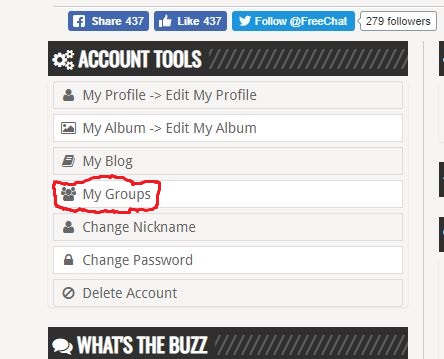
Under Account Tools Click on My Groups:

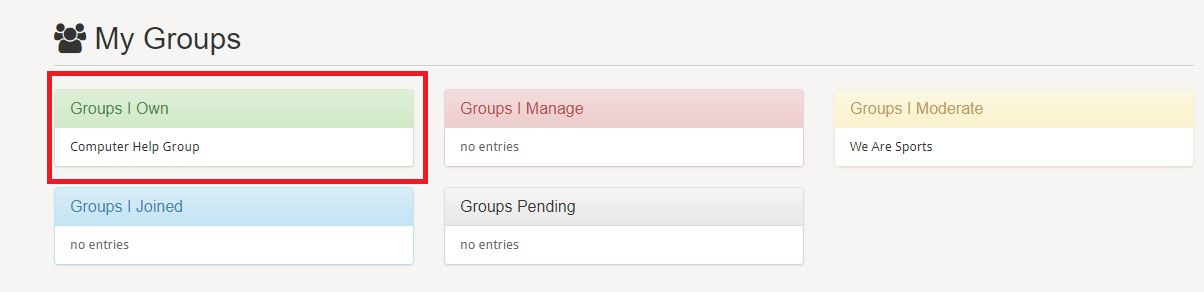
This will load a page that lists all the groups you belong to, separated into groups of groups you own, manage, moderate, or a member of. In the list of Groups you own click on the group you want to set the discussion board up for:
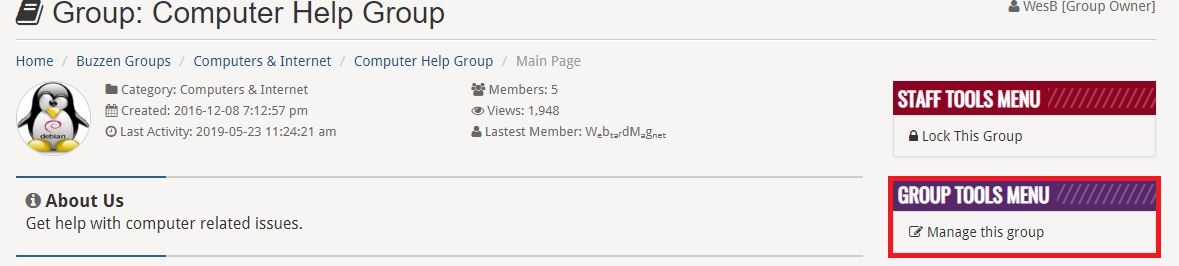
This will load your groups home page, on the right side under Group Tools Menu click on manage group:
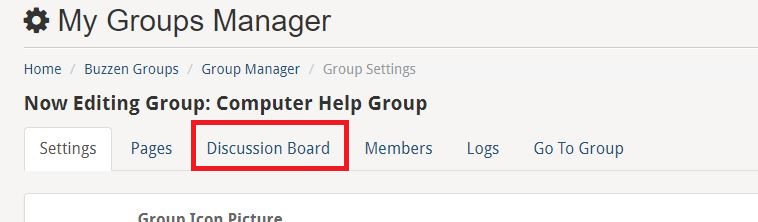
This will load the group management page. From the menu Click on Discussion Board as shown in the following image:

On the Discussion Board management page click on Add Category under Board Settings on the left side as shown:

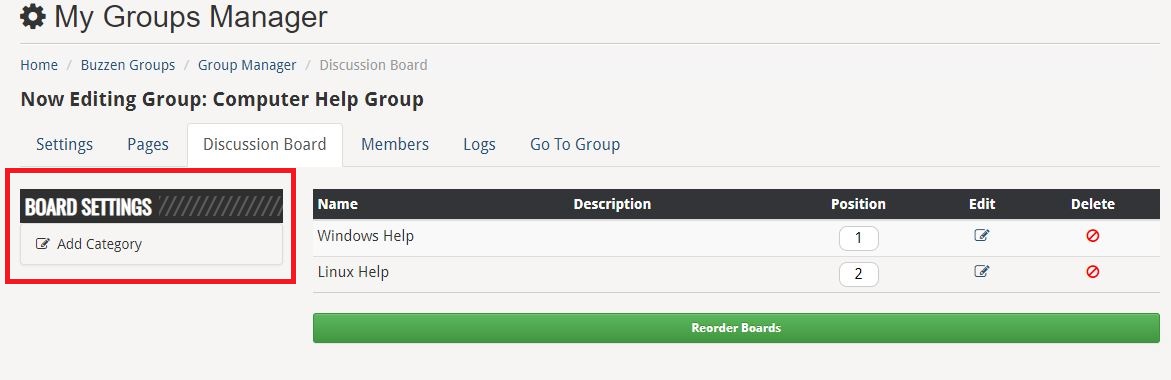
This will load the Add Category dialog. Enter the information you want as shown in the following example and click the submit button when complete:
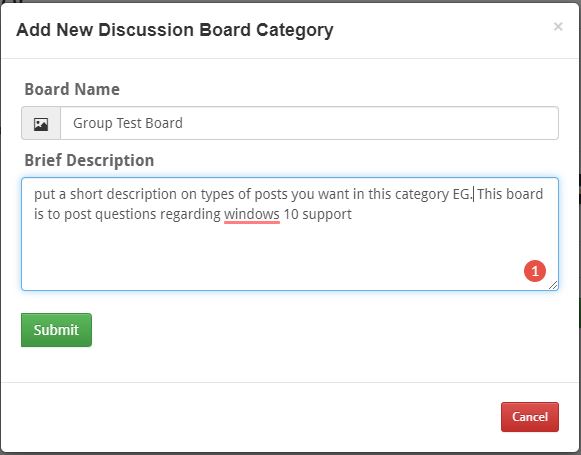
Your discussion board is now created. You can add multiple categories for different topics.