Answer
Information from the existing Buzzen FAQ library.
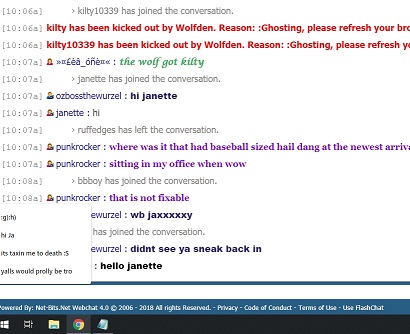
If you see the predictive text (text suggestions) popup in your browser it is a new setting in Windows. As seen in the following image:
Steps to turn off predictive text suggestions.
Note: All steps and places where you need to click are noted by a red box around the area to click in the images.
1) Click on the start menu button in the lower left corner of your screen:

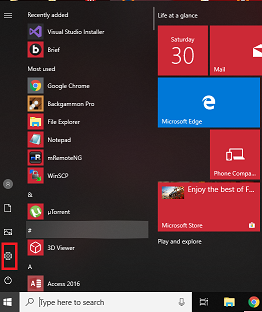
2) Click on the Settings Icon on the left side of the start menu:
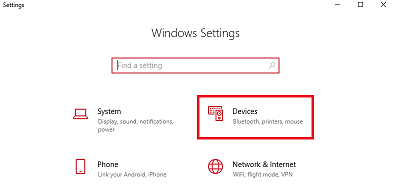
3) In the Settings dialogue. Click on Devices:
4) In the Devices window on the left side click on Typing:
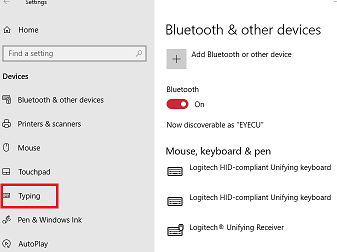
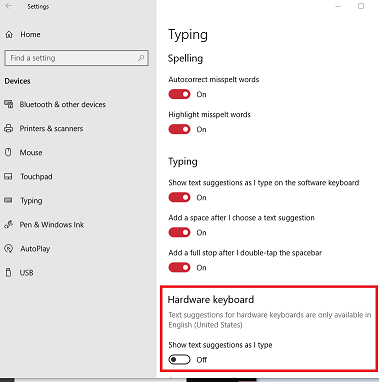
5) In the Typing window on the right side you need to scroll and find Hardware Keyboard, and directly under that you will see, Show text suggestions as I type. with a toggle switch underneath. Click the toggle switch to turn it off.